
LumenIMG field guide
How to write AI cover and social image prompts across 16:9, 9:16 and 4:5
A good thumbnail, blog header or social post needs the right aspect ratio and clear negative space for titles before you generate—not tight cropping afterward.
The practical answer
Pick the target ratio first (16:9 for video covers and blog headers, 9:16 for vertical stories and shorts, 4:5 or 3:4 for feed posts, 1:1 for square tiles), place your main subject off-center when you plan to overlay headlines, and add editable text layers in the studio after generation so titles stay crisp and easy to update.
Pick the aspect ratio and composition space upfront
Generating in the wrong aspect ratio forces awkward crops later. Match your ratio and negative space to the placement before clicking Generate:
| Ratio | Common placement | Composition rule to add in the prompt |
|---|---|---|
| 16:9 | YouTube thumbnails, tech video covers, blog headers | Place the focal object on the left or right third; keep the opposite side calm for a headline. |
| 9:16 | Shorts/Reels covers, vertical posters, mobile stories | Stack the horizon low and leave clean upper sky or dark ceiling space above eye level. |
| 4:5 / 3:4 | Feed posters, portrait promos, product lifestyle cards | Reserve upper or lower margins with soft gradient tone if adding prices or dates later. |
| 1:1 | Square avatars, isometric icons, recipe/card thumbnails | Center a bold silhouette with clear edges so it stays readable even at small sizes. |
Saved multi-ratio examples you can adapt now
Each example below is a saved output from LumenIMG's gallery. Clicking a link fills the prompt, model and aspect ratio in the studio without spending credits until you generate.
16:9 cinematic header / tech & travel cover (FLUX.2 Klein)
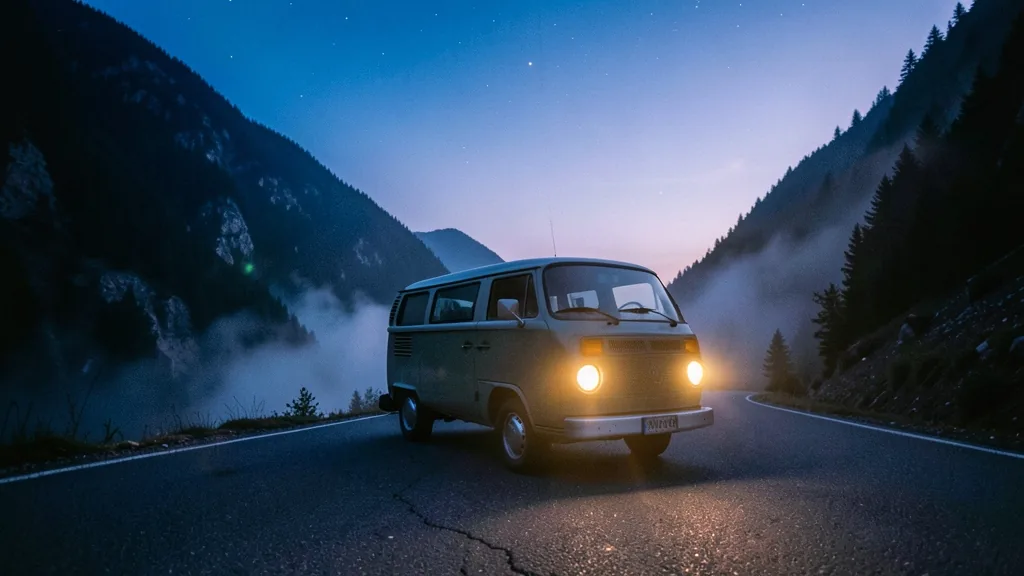
Cinematic film still, a vintage camper van on an empty mountain road at blue hour, headlights on, fog in the valley, anamorphic lensNotice how the misty sky and left road area create natural low-clutter space for a video title. Load this 16:9 cover prompt.
9:16 vertical cover / story poster (FLUX.2 Klein)
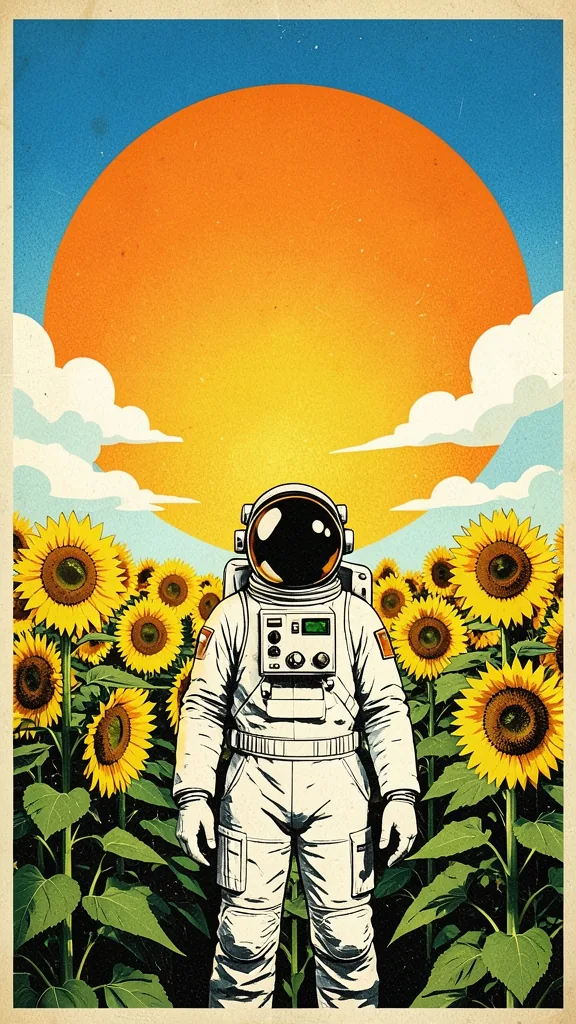
Retro travel poster style illustration, an astronaut standing in a sunflower field under a huge orange sun, bold flat colors, grain texture1:1 clean square visual (FLUX.1 Schnell)
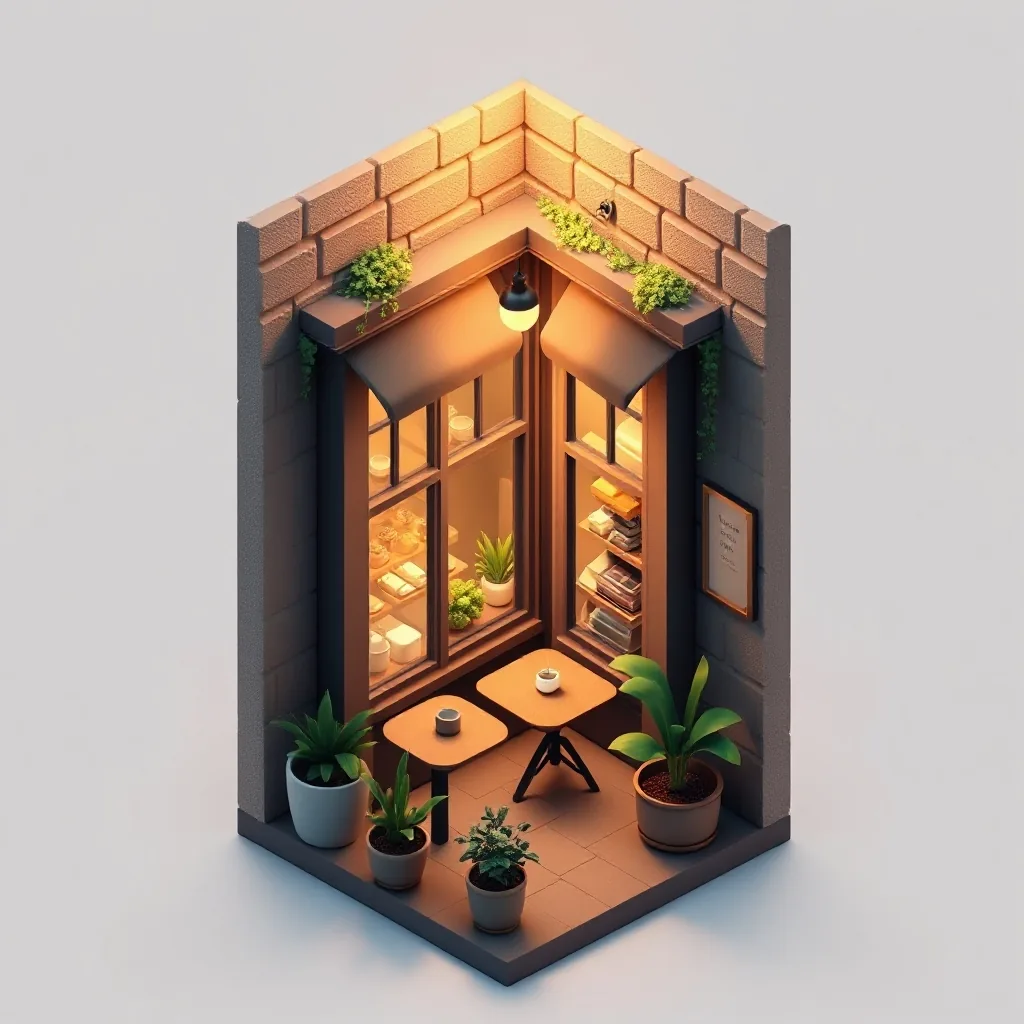
Isometric 3D illustration of a tiny corner coffee shop at night, warm window light, plants, soft clay render, pastel colorsReusable template for covers with readable titles
When you need an article cover or YouTube thumbnail where a title must stay 100% legible, generate a text-free visual backdrop first and overlay the headline in the Text module:
Clean editorial technology cover image, minimalist glowing studio desk with soft rim lighting on the right third, deep dark slate background on the left two-thirds kept uncluttered for bold headline text, cinematic contrast, no text, no letters, no logos, no watermarkLoad this 16:9 text-ready cover template (untested starting template; verify reserved space and contrast before exporting).
Keep a series consistent and export cleanly
- Reuse lighting and color vocabulary: Keep lighting cues (for example
blue hour, anamorphic lensorsoft clay render, pastel colors) fixed across episodes while swapping only the subject. - Grade on the canvas: Apply one of LumenIMG's 10 built-in color looks or fine-tune warmth and contrast in the Finish panel for free so multiple covers share a cohesive palette.
- Verify dimensions on export: Inspect the exported PNG, JPG or WebP file at actual size—if a model outputs a slightly different ratio than requested, frame cleanly on the canvas before downloading.
Next, read how to pick between FLUX and GPT Image or check canvas lighting and grading.
Questions and answers
Should I generate thumbnail text inside the AI image or add it afterward?
For cover headlines, episode numbers or dates that need exact spelling and consistent brand fonts across a series, generate an uncluttered background and add editable text layers in LumenIMG’s Text module.
Which model supports 16:9 and 9:16 aspect ratios?
FLUX.2 Klein and GPT Image 2.5 support flexible aspect ratios in the studio, as shown in the saved 16:9 and 9:16 examples above. Check the live ratio grid in the editor for the selected model.
Can I combine an AI-generated cover with a product cutout?
Yes. You can cut out a real photo or product shot, generate or choose a background, adjust directional shadows and grading looks, and add headline text on the same canvas.
Does adding text layers or color grading cost extra credits?
No. Text layers, color grading, lighting adjustments, cropping and exporting run in the browser and cost 0 credits.
Put the guide into practice
Try 1 daily FLUX.1 Schnell 1:1 preview without signing in, or sign in free for welcome credits and all models.
Open image generator →