
LumenIMG field guide
FLUX.1 Schnell vs FLUX.2 Klein vs GPT Image 2.5: which model should you pick?
Each model trades off credit cost, reference-image support and text/scene complexity differently. Match the model to the step of your project instead of defaulting to one option.
The practical answer
As checked in the live LumenIMG pricing configuration on November 22, 2026, FLUX.1 Schnell (1 credit) fits fast text-to-image drafts, FLUX.2 Klein (2 credits) adds flexible aspect ratios and reference-image input, and GPT Image 2.5 (4 credits) handles detailed commercial scenes and quoted poster lettering. Both FLUX models work with daily Free credits; GPT Image uses welcome or paid plan credits.
Side-by-side model snapshot (checked November 22, 2026)
This table summarizes what was verified in LumenIMG's live pricing configuration on November 22, 2026. Model availability and credit rules can change, so always confirm the live editor display before clicking Generate.
| Model | Credits / image | Reference image | Daily Free credits | Typical fit |
|---|---|---|---|---|
| FLUX.1 Schnell | 1 | No (text prompt only) | Yes | Quick mood drafts, 1:1 product & illustration concepts |
| FLUX.2 Klein | 2 | Yes (Use current image) | Yes | 16:9 covers, 9:16 stories, 4:5 portraits & style edits |
| GPT Image 2.5 | 4 | Yes (Use current image) | No (welcome or paid plan) | Posters with quoted lettering, complex commercial visuals |
AI prompt polish (the prompt-refinement button in the Generate panel) currently costs 0 credits across models, and failed AI runs return their credits automatically. See the generation cost guide for full subscription math.
Saved outputs across the three models
The three gallery images below are saved outputs from each model, resized for the web. Generation varies across runs even with the same prompt, so treat these as real starting points rather than guaranteed identical outputs.
1. FLUX.1 Schnell (1 credit) — fast square visual
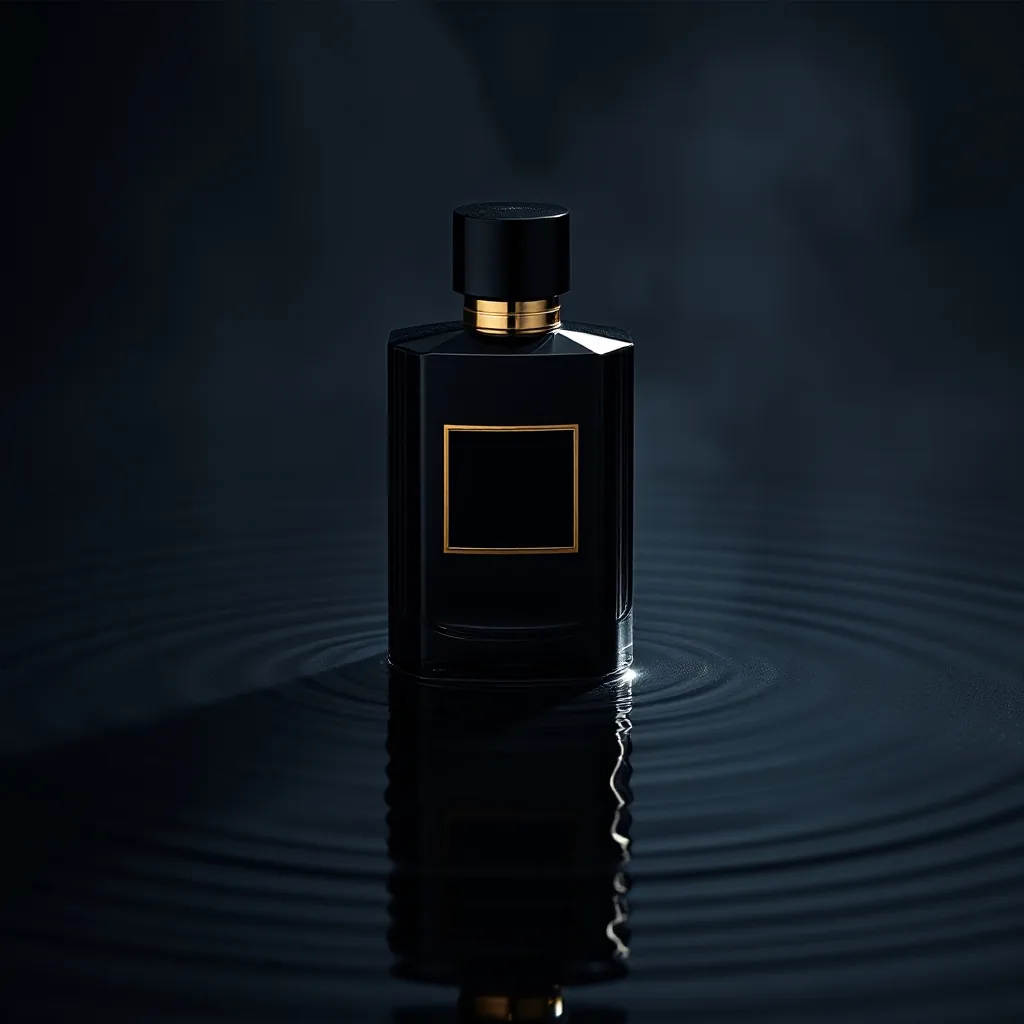
Luxury black perfume bottle standing in still dark water, ripples, a thin line of gold rim light, mist, high-end cosmetics advertising photoLoad this FLUX.1 Schnell prompt.
2. FLUX.2 Klein (2 credits) — wide 16:9 cinematic frame

Cinematic film still, a vintage camper van on an empty mountain road at blue hour, headlights on, fog in the valley, anamorphic lensLoad this FLUX.2 Klein prompt.
3. GPT Image 2.5 (4 credits) — complex commercial splash

Skincare serum dropper bottle splashing into clear water with sliced oranges and lemon, bright clean studio light, commercial beauty advertisementReference images and post-generation editing
Two practical capabilities separate exploratory drafting from finishing a real asset:
- Reference image input (FLUX.2 Klein and GPT Image 2.5): When “Use the current image” is checked in the Generate panel, your active canvas composite is passed alongside the prompt. Models that do not accept reference images (such as FLUX.1 Schnell) reject image-reference runs before charging.
- Text, cutouts, lighting and grading (0 extra credits): Once an image lands in your filmstrip, adding editable headlines in the Text module, adjusting directional key/rim lighting, applying one of 10 color looks or exporting costs zero generation credits.
- Poster wording note: If your design includes dates, prices or longer copy, combine a clean FLUX.2 Klein or GPT Image background with editable Text layers instead of re-rolling pixel lettering; see the poster text prompt guide.
A three-step workflow to avoid wasting credits
- Explore the framing cheaply: Start with FLUX.1 Schnell (1 credit) or FLUX.2 Klein (2 credits) when testing subject placement, lighting mood or color palette.
- Switch up only when needed: Move to GPT Image 2.5 (4 credits) when your deliverable calls for embedded headline typography or dense commercial props, or test aspect-ratio templates first.
- Finish in the studio instead of re-rolling: Small color shifts, contrast tweaks, shadows and text updates belong in the Finish and Text modules rather than another paid generation.
Check current pricing or explore more reusable prompts.
Questions and answers
Which model can I run with daily Free credits?
Daily Free credits (8 credits resetting at 00:00 UTC) cover eligible FLUX.1 Schnell (1 credit) and FLUX.2 Klein (2 credits) generations. GPT Image 2.5 (4 credits) requires sign-up welcome credits or a paid Pro or Ultra allowance.
Which models accept a reference image from the canvas?
As checked on November 22, 2026, FLUX.2 Klein and GPT Image 2.5 accept the current canvas image as a reference, while FLUX.1 Schnell is text-to-image only.
Does AI prompt refinement cost extra credits?
No. The current prompt-enhancement service costs 0 credits, and credits are always refunded automatically if an AI generation request fails.
Is this an independent model quality benchmark?
No. This guide documents LumenIMG’s available model labels, credit costs and saved example outputs to help you plan your workflow inside the studio.
Put the guide into practice
Try 1 daily FLUX.1 Schnell 1:1 preview without signing in, or sign in free for welcome credits and all models.
Open image generator →